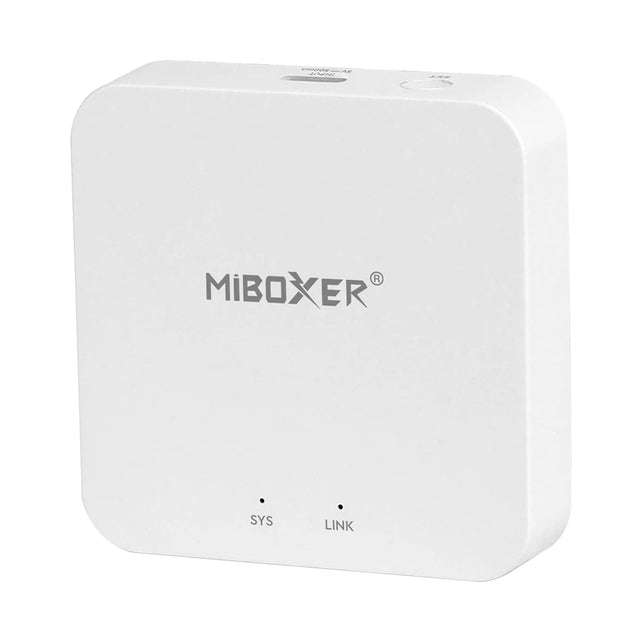



MiBoxer WiFi & RF Gateway WL-Box2 2.4GHz is backordered and will ship as soon as it is back in stock.
- Free shipping in NL & BE from €69.95
- Available directly from stock
- Rated 9.2/10 by customers
- Up to 5 years warranty

Betaal veilig en gemakkelijk met de betaalmethode die jij wilt.


MiBoxer WiFi & RF Gateway WL-Box2 2.4GHz

MiBoxer WiFi & RF Gateway WL-Box2 2.4GHz is backordered and will ship as soon as it is back in stock.
MiBoxer WL-Box2 2.4GHz Gateway – Smart WiFi & RF Integration
Bring all your MiBoxer and Mi-Light 2.4GHz RF products online with the WL-Box2 Gateway. This compact gateway connects to your WiFi network (IEEE 802.11 b/g/n 2.4 GHz) and lets you control your lighting easily via the “Tuya Smart” app or voice assistants like Alexa and Google Assistant. With a range up to 30 m and support for up to 100 zones, you can quickly manage up to 16 groups with unlimited lamps or controllers each.
Main Features
- Dual connectivity: 2.4 GHz RF link and WiFi (802.11 b/g/n)
- Wide range: RF distance up to 30 m, WiFi to your router
- 100 zones: individually named and controlled
- Type-C power supply: 5 V DC/500 mA for easy installation
- Advanced functions: timer groups, “do not disturb” mode, indicator light on/off
- Voice control: compatible with third-party voice assistants
- Compact & low maintenance: durable design with 50,000 hours lifespan
Functions & Capabilities
- App control: complete operation via “Tuya Smart” (iOS/Android)
- Copy function: duplicate settings from existing RF remotes
- Group management: create up to 16 zones with unlimited devices each
- Automation: set schedules per zone for automated on/off switching
- “Do not disturb”: disable all notifications and indicator lights at once
Installation & Connection
Mount the WL-Box2 easily with the included bracket near your router or in the meter cupboard. Then follow these steps in the “Tuya Smart” app:
- Download the “Tuya Smart” app and create an account.
- Tap “+” and choose “Lighting → Light Source (BLE+Wi-Fi)”.
- Hold the “SET” button on the gateway for 3 seconds until the red light flashes.
- Wait until the gateway is added and tap “Done”.
- Pair your RF remotes or controllers by programming them in the same zone.
Why Choose the WL-Box2 Gateway?
With the WL-Box2, you benefit from the best combination of RF range and WiFi flexibility. Whether you use MiBoxer LED panels, strips, or downlights: this gateway centralizes your lighting in one app, offers advanced timers, and supports voice assistant integration. Perfect for both residential and project installations where scalability and reliability are key.
-
Certifications
-
Dimensions (l×w×h)
-
Color
-
Dimmable
-
Dim technique